Compare every product currently featured by SHC, understand its availability and check practical fit before leaving for eBay. Baby, Juniors, Pet and Fitness offer useful buying guidance while their ranges are being selected; Trending currently features cooling products.
Review practical details across the published catalogue, with a direct buying route only where a current eBay offer is available.
01
Northern Luxe
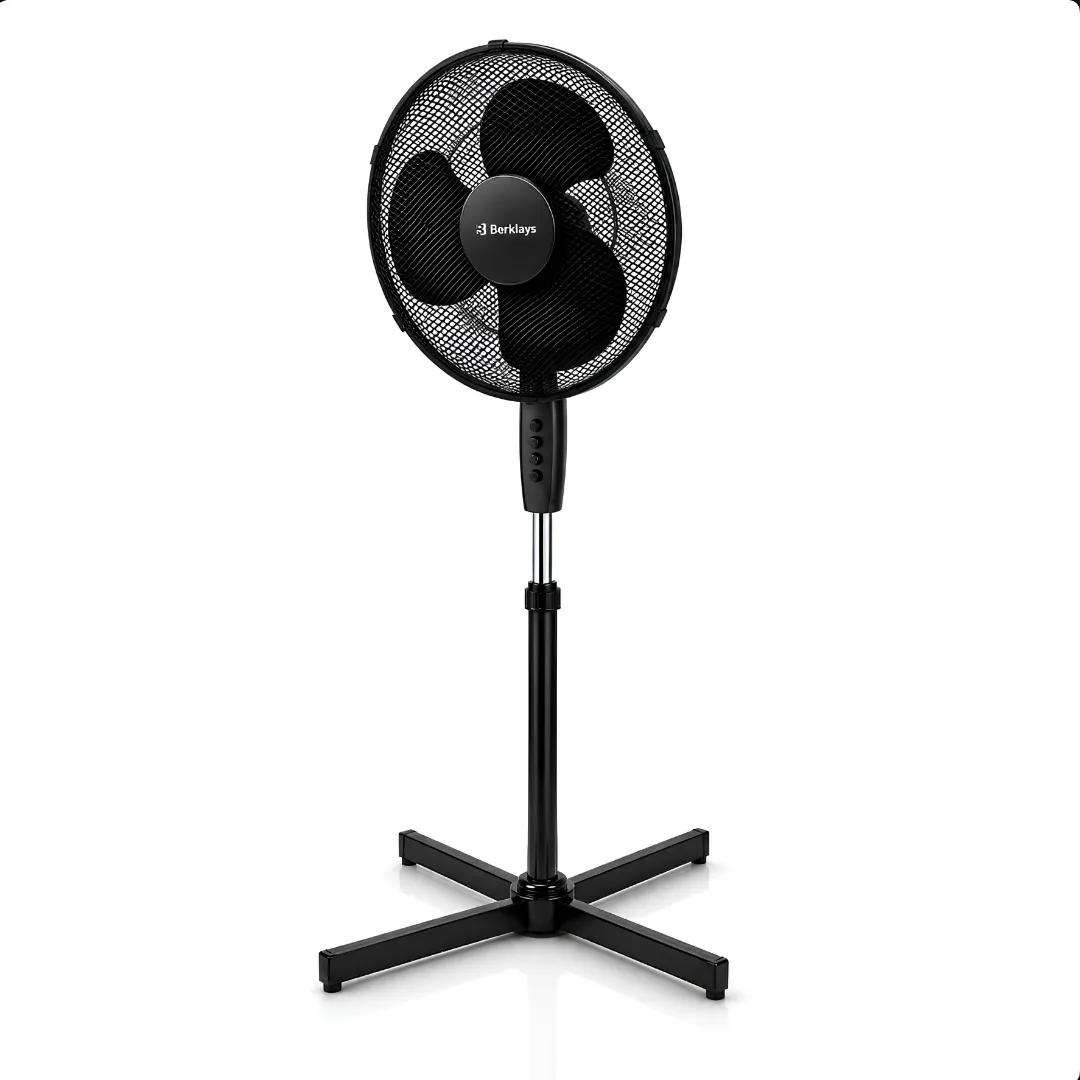
16 Inch Pedestal Fan — 3 Speed, Adjustable Height
Directed airflow for hot UK bedrooms, home offices and box rooms — a simple 45W stand fan with three manual speeds, wide-angle oscillation and a height-adjustable stand. No remote, no timer, no gimmicks.
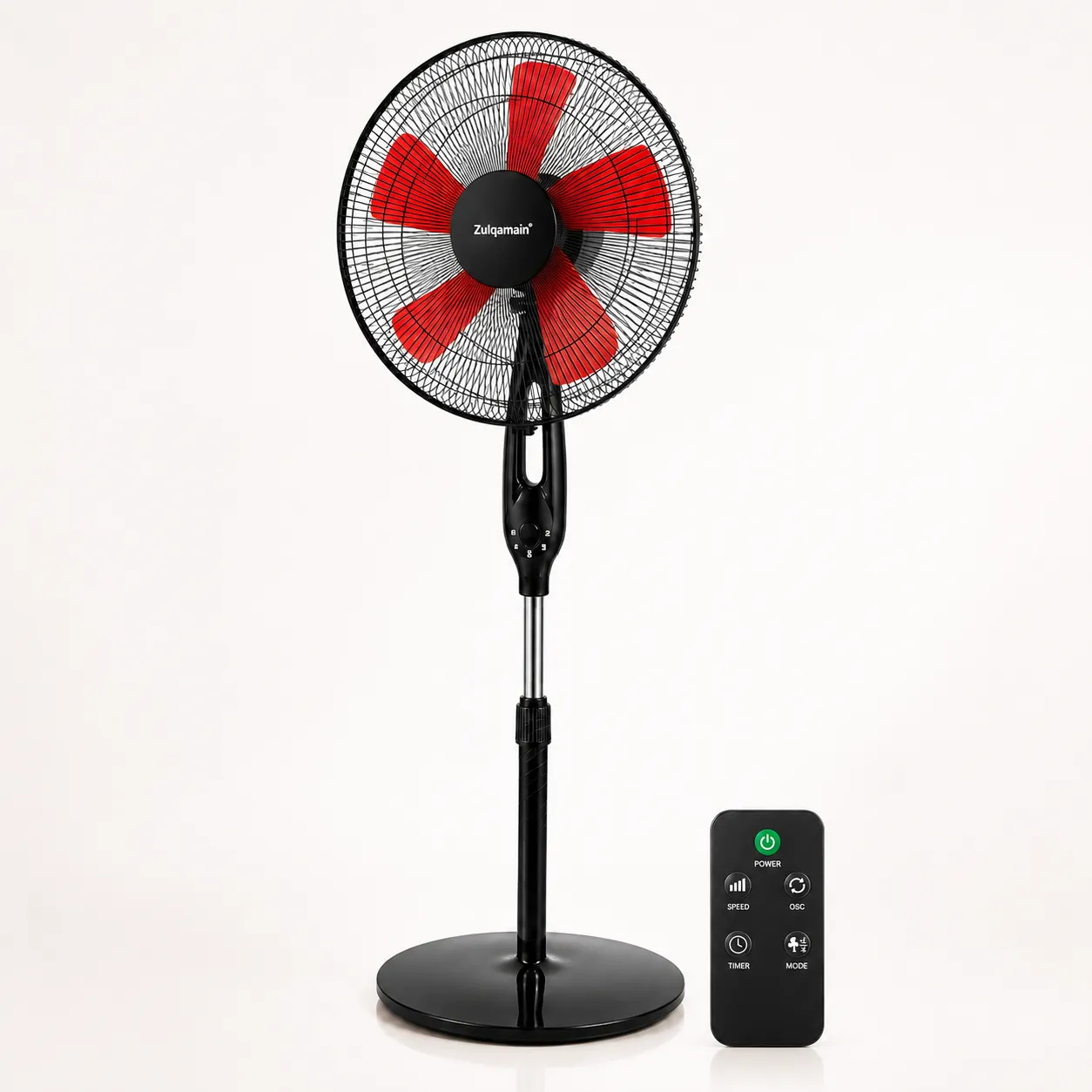
16 Inch Pedestal Fan — Remote Control, 3 Speed, Timer
Remote-controlled 16-inch oscillating pedestal fan with three speeds, a timer and an adjustable-height stand — for UK bedrooms, living rooms and home offices.
Two clear choices help you cut through the noise and compare only what fits your current need.
Need-first family editBegin with the household moment, then narrow the range.
Your Practical Checks
Define Your Need
See practical details
Should you begin with a product card or a family need?
Begin with the need when you are not yet sure which product type fits. Shop spans Baby, Juniors, Pet, Fitness and Trending, but the current product cards all belong to Trending. The other four ranges provide complete selection guidance without showing placeholder stock. Choosing the need first stops today’s available products from appearing relevant to every household problem.
You know the family routine but not the product type that may support it.
A current product looks attractive even though it belongs to another use case.
The category you need has useful guidance but no products ready to compare yet.
You want to compare every current item after defining the decision criteria.
The correct category supplies the decision questions; Shop supplies the complete catalogue status view.
Compare Current Products
See practical details
How do the five ranges narrow a cross-category search?
Baby owns stage, routine, care and ages 0–5. Juniors owns challenge, interests and ages 5–14. Pet owns species, size and home routine. Fitness owns repeatable activity, space and supported limits. Trending owns timely household solutions and the current fan comparison. Use the category whose framework answers the most important suitability questions.
Describe the current user, routine, setting and main constraint in one sentence.
Select the category whose commercial scope matches that description.
Read its buying guide and record the fit checks that matter.
Return to Shop to see whether a current product matches those checks.
Use the eBay store only as an availability fallback, not as evidence of category suitability.
Need, range and catalogue form a sequence; reversing it invites availability to control suitability.
What should happen before you open one of the three current cards?
You should know that the need belongs to seasonal or personal airflow and understand whether pedestal or compact USB format is more appropriate. If your need belongs to Baby, Juniors, Pet or Fitness, Shop should not pressure you towards a fan. Use the prepared category guide, check current eBay listings or return as the relevant range grows.
Available products do not become universal family recommendations.
Empty categories remain purposeful routes rather than dead ends.
Trending contains the current product comparison because all three cards are fans.
A category guide can be the correct outcome even when no product follows immediately.
Buying guide available
Baby
Choose around ages 0–5, current stage, routine, fit, care and product-specific information.
A useful Shop shows what is ready now without making an empty range look full.
Need-first family editBegin with the household moment, then narrow the range.
Your Practical Checks
Compare Practical Fit
See practical details
What can you compare in the SHC Shop today?
You can compare the Northern Luxe KS-40A manual pedestal fan, the A2Z remote-control pedestal fan and the A2Z foldable USB fan. Each page explains supported features, fit and limitations. Their availability differs, so the Shop does not present every visible card as a product you can buy immediately.
Northern Luxe has a verified exact eBay offer recorded on 13 August 2026.
The A2Z remote pedestal fan’s previous listing ended and requires an availability check.
The A2Z USB fan’s previous listing ended and requires an availability check.
Baby, Juniors, Pet and Fitness do not yet have products ready to compare.
A useful Shop shows what is ready now without making an empty range look full.
Review Honest Limits
See practical details
Which details should you take from a Shop product card?
Use the card to identify the brand, product type, central fit and current availability label. Then open the product page for fuller details. The short card description is not a complete specification, and online availability can change, so check the current eBay listing before buying.
Read the status label before any price or feature detail.
Identify pedestal or personal USB format and the intended airflow scale.
Open the page for placement, controls, power, fit and limitation checks.
Use verified-offer wording only as the route to current eBay confirmation.
Use check-availability wording when a current offer has not been confirmed.
The card starts the comparison; the product page explains the fit; the listing confirms the purchase terms.
How does this catalogue avoid hiding ended or unavailable products?
It keeps useful product information available for comparison while removing stale offer claims. You can still identify the features you need when a model is unavailable, and clear labels prevent historic prices, delivery promises or return terms from being mistaken for a current offer.
Every featured card opens a complete SHC product page.
One card shows a verified live eBay offer and the current recorded price.
Products without a current offer ask you to check availability.
Product details and availability wording stay consistent across Shop, Trending and product pages.
03
Shop decision guide
Understand availability before you click
Plain availability labels help you understand what will happen before you leave SHC.
Need-first family editBegin with the household moment, then narrow the range.
Your Practical Checks
Read Current Status
See practical details
Why does SHC keep catalogue and offer status separate?
A catalogue page contains relatively stable product information such as identity, supported specifications and practical limitations. An offer contains time-sensitive facts such as price, stock, seller, postage, delivery and returns. If the two were treated as one state, an ended listing could make useful research disappear or leave stale transaction terms visible after they stopped applying.
Check current availability: the product details are ready, but a current buying route is not confirmed.
Available on eBay: the matching eBay listing was checked and offered a purchase route.
Availability check: a previous offer ended or no exact current offer is verified.
Offer details can change after verification and must be confirmed again before buying.
Plain availability labels help you understand what will happen before you leave SHC.
Confirm eBay Terms
See practical details
What action belongs to each catalogue or offer state?
Use the product page to assess fit and limitations. Where a current eBay offer is shown, confirm the exact model, price, delivery and return terms immediately before purchase. If availability needs checking, search the SHC eBay store for the exact model rather than assuming a similar-looking item is equivalent.
Find the status label on the Shop card and product page.
If live, follow the exact route and match model, seller, images and purchase action.
If availability is unconfirmed, use the current-availability route rather than a stale listing.
Reject a substitute when its model or supported specifications do not match.
Confirm final price, delivery and returns on the exact listing at checkout time.
The correct action follows the evidence state, not the shopper’s urgency or the page’s age.
What does an accurate status system protect you from?
It reduces the risk of relying on an ended price, treating an old delivery statement as current or clicking a broad store search believing it is the exact product. It also protects catalogue usefulness: you can still compare the A2Z models without being told they are currently in stock. Accuracy matters more than making every card look transactional.
Live wording is conditional on fresh exact-listing verification.
Ended offers do not keep an active price or in-stock claim.
Product pages remain available for model and feature research.
Update triggers include price, stock, seller, delivery, returns and listing URL changes.
04
Shop decision guide
Compare fit, features and limitations
A reusable comparison method makes the trade-off visible before price or availability dominates the choice.
Need-first family editBegin with the household moment, then narrow the range.
Your Practical Checks
Set Clear Criteria
See practical details
Which fan is best for your actual space and controls?
There is no universal best choice. A pedestal fan can direct airflow across a bed, desk zone or seating area but uses floor space and mains power. A compact USB fan serves close personal airflow and stores more easily but is not presented as whole-room cooling. Manual simplicity, remote convenience, timer needs and current availability create further trade-offs.
Airflow scale: part-of-room direction or close personal use.
Placement: floor footprint and height or desk/bedside surface space.
Controls: manual push buttons or supported remote and timer functions.
Limits: fan-not-air-conditioning, dry indoor use and no unsupported quietness claim.
A reusable comparison method makes the trade-off visible before price or availability dominates the choice.
Compare Product Evidence
See practical details
How should you review different product formats consistently?
Use the same six fields: use case, physical space, controls, power, limitations and current terms. Begin with the user and airflow target. Measure placement. Decide which controls are genuinely needed. Confirm mains or USB access. Read exclusions and evidence gaps. Only then check the live offer, because a good price cannot repair the wrong product type or missing required feature.
Use case: name the person, area and duration of intended airflow.
Space: measure placement, operating clearance, storage and cable route.
Controls: choose manual, remote or timer needs without paying for unused features.
Power and limits: confirm source, dry-room use and the fan-not-AC boundary.
Current terms: verify exact offer, price, delivery and returns after fit is established.
Six fields create comparable evidence even when the products use different formats and offer states.
What should your final comparison be able to explain?
You should be able to say why one format fits the intended area, why its controls and power source suit the routine and which limitations you accept. You should also know whether the exact preferred model is available. If not, retain the fit criteria rather than automatically replacing it with the only live product. Availability is one decision field, not proof of suitability.
Northern Luxe suits shoppers wanting simple manual pedestal controls and a live verified route.
A2Z pedestal suits remote/timer requirements when a current exact offer can be found.
A2Z USB suits compact personal airflow with a suitable USB source when available.
Every product page shows good-fit, may-not-suit and model-specific limitations.
05
Shop decision guide
What happens when you choose a product
A visible handover keeps product selection and transaction evidence connected without duplicating checkout.
Need-first family editBegin with the household moment, then narrow the range.
Your Practical Checks
Open eBay Listing
See practical details
What should you expect after selecting a product on SHC?
The SHC product page completes the fit decision, then its action reflects current availability. An available product leads to the matching eBay listing. A product without a confirmed offer leads to a current-availability check. eBay then displays the purchase action, price, seller, payment, delivery and return terms for the transaction it will process.
SHC provides discovery, comparison, fit, evidence and limitation content.
The action label identifies an exact offer or an availability check.
eBay provides checkout, payment and the order record.
The exact listing and order control transaction-specific delivery and return actions.
A visible handover keeps product selection and transaction evidence connected without duplicating checkout.
Complete Securely
See practical details
Which checks belong between product choice and order confirmation?
Confirm fit on SHC, then follow the displayed action. On eBay, match the exact model and seller, confirm the listing is active and review the full amount and condition. Enter or confirm the destination so delivery information is relevant. Read return conditions before payment. After purchase, retain the eBay order route for dispatch, cancellation, return or refund action.
Finish the SHC fit, feature and limitation review before leaving the product page.
Match model, images, seller and supported specifications on the eBay destination.
Confirm active purchase state, price, condition, quantity and full order total.
Review destination-specific postage, dispatch, delivery and exact return conditions.
Use the eBay order record for post-purchase tracking and transaction actions.
The handover ends at an order record that contains the current facts and available actions.
Where should you return when a question appears later?
Return to the SHC product page for stable model information and fit context. Use Delivery or Returns for route guidance. Use the exact eBay order for payment, dispatch, delivery progress, cancellation, return or refund action. Contact SHC when you need help understanding which route applies, while keeping sensitive payment details inside the sales channel.
Product evidence remains available on SHC after the transaction.
Time-sensitive order facts remain attached to the exact eBay order.
Support pages explain responsibilities without inventing one universal policy for every listing.
The Home support map and Contact page remain available when the correct route is unclear.